
March 2026
Submission Intelligence & Geolocation
The biggest release since public beta. Three things that matter:
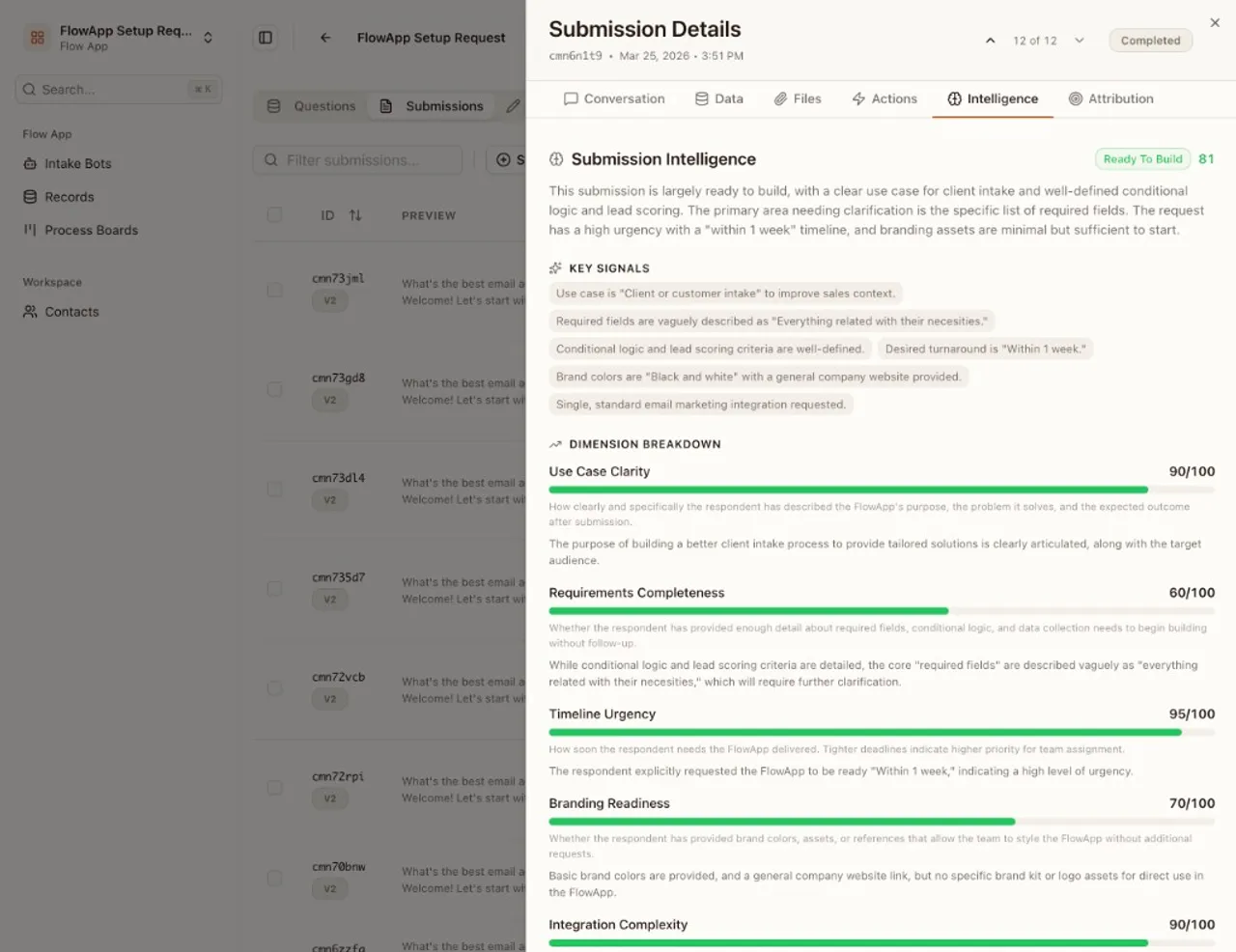
Submission Intelligence scores every submission the moment it arrives. AI analyzes answers against configurable dimensions and assigns a tier, so your team sees what’s worth acting on before opening a single record. Sales teams see Hot / Warm / Cold. HR teams see Strong / Moderate / Review. Support teams see Urgent / Normal / Low. You configure the dimensions and tiers to match your process, or let AI generate them during bot creation. Tier badges show directly on Process Board cards. Business plans can route submissions automatically based on scores. Costs 2 AI credits per submission.
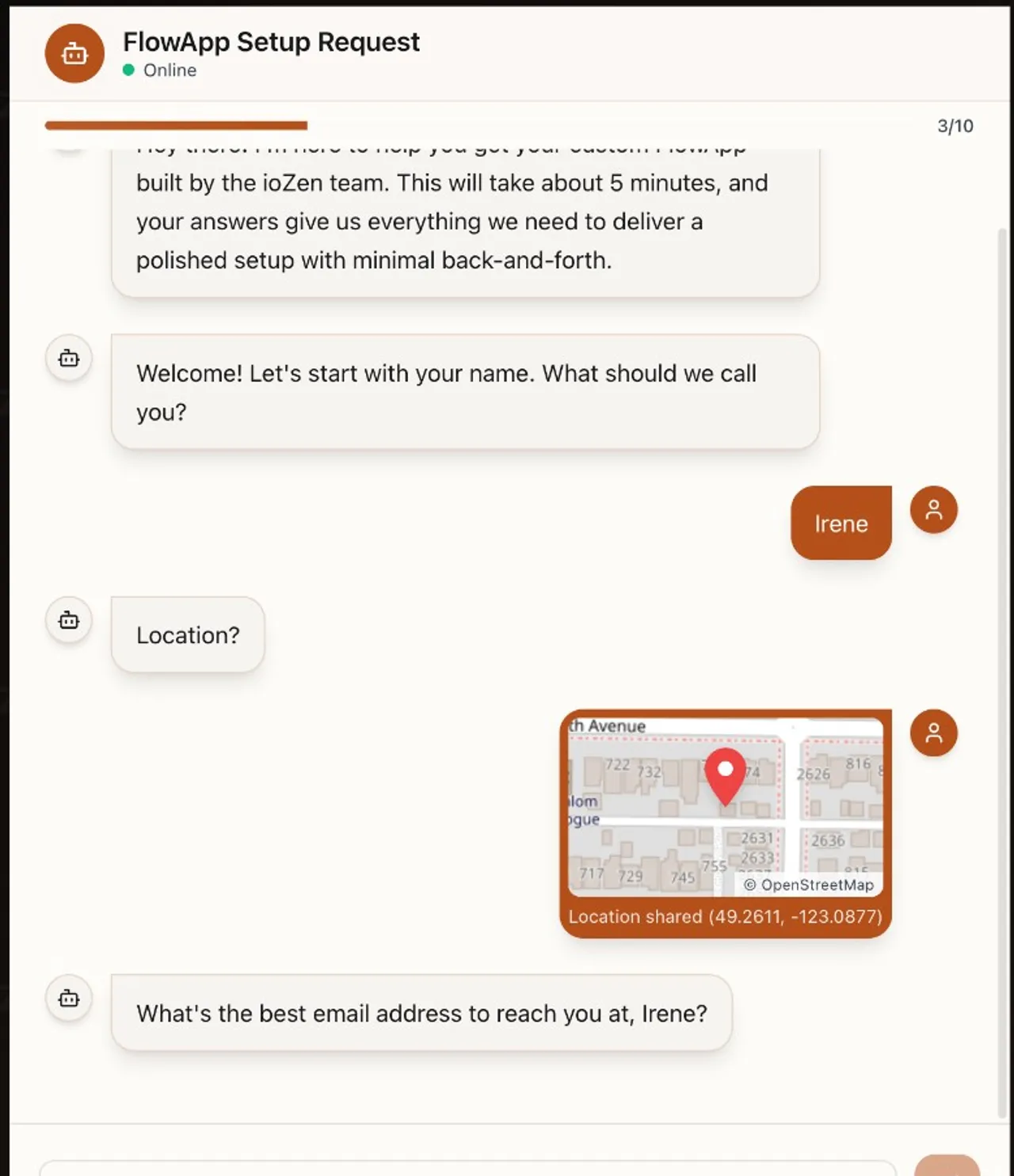
Geolocation capture is a new field type for IntakeBots. Respondents tap “Share Location,” grant browser permission, and their GPS coordinates are recorded with a static map preview (OpenStreetMap tiles, no API keys, no dependencies). Every display surface shows a “Open in Google Maps” link. Built for inspection reports, field service, incident tracking, delivery confirmation, and property management. Available on all plans.
Deploy-first onboarding replaces the old “confetti on creation” flow. After AI generates your first FlowApp, you now pick how to deploy it: direct link with QR code, embed code for your website, email instructions to your webmaster, or a step-by-step guide for your CMS platform (14 platforms supported, including WordPress, Squarespace, Wix, Webflow, and Shopify). Confetti now fires on your first real submission, not on setup completion. Session state is preserved, so navigating away no longer resets your progress.
We also tightened security across the credit system and submission API: atomic billing-period resets, rate limiting on public credit checks, Zod validation on all IDs, cross-bot update guards, and a fix for purchased credit packs being ignored in AI availability checks.
Included in this release
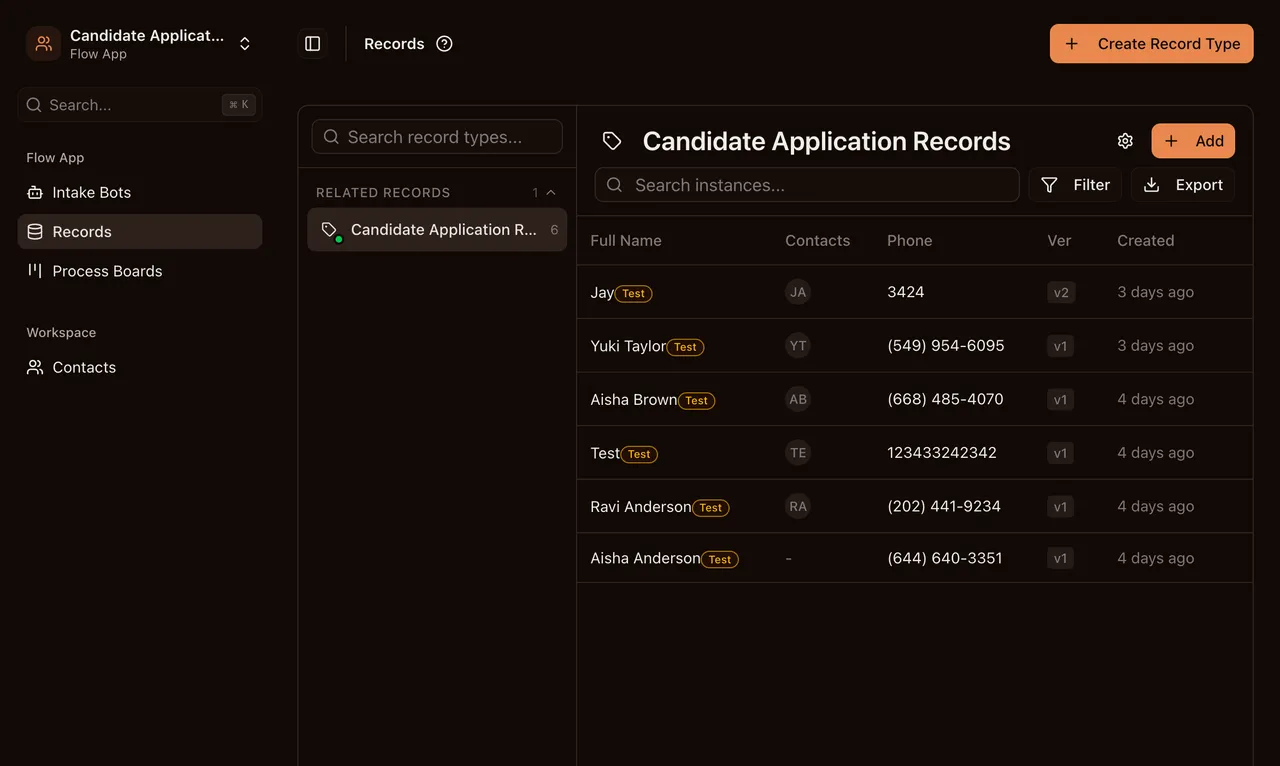
New geolocation field type captures GPS coordinates from the user's device with permission handling, static map previews (OpenStreetMap tiles, zero dependencies), and Google Maps links across all display surfaces — submissions, records, process board cards, and CSV export. Onboarding reframed around demand capture with deploy-first completion: direct link, website embed, send to webmaster email, or platform-specific guides for 14 CMS platforms. First real submission triggers a celebration with confetti overlay and email notification. Session state persisted so navigating away no longer resets onboarding progress.
Consolidated credit service into a single source of truth with atomic billing-period resets, eliminating concurrent double-reset bugs. Public credit checks now rate-limited and response-sanitized — exact credit counts and plan tier details no longer exposed to anonymous callers. Submission API hardened with Zod CUID validation on all IDs, cross-bot update guards, and error responses that no longer leak schema structure. Geolocation permission policy and iframe allow attributes configured for secure cross-origin embedding. Fixed a bug where purchased credit packs were ignored in AI field intelligence availability checks.
Every submission is now scored, tiered, and analyzed by AI at submission time. Configure dimensions and tiers tailored to your use case — lead qualification, candidate assessment, risk triage, project prioritization, or any intake process. Intelligence results appear as tier badges on Process Board cards with full dimension breakdown in the submission detail panel. Business plans can route submissions automatically based on intelligence scores and tiers. Intelligence configuration is generated by AI alongside the bot schema — no manual setup needed. Manual re-analysis available via the Actions tab. 2 AI credits per submission.
Smart Conversations
Three new AI-powered creation tools ship today. All three work the same way: you talk to ioZen in plain language, and it builds what you need.
Conversational Onboarding is the first thing new users see. Paste your website URL and AI figures out what your organization does, then suggests use cases matched to your role. Pick one (or describe your own) and ioZen generates your first FlowApp automatically. No clicking through setup wizards or reading docs first.
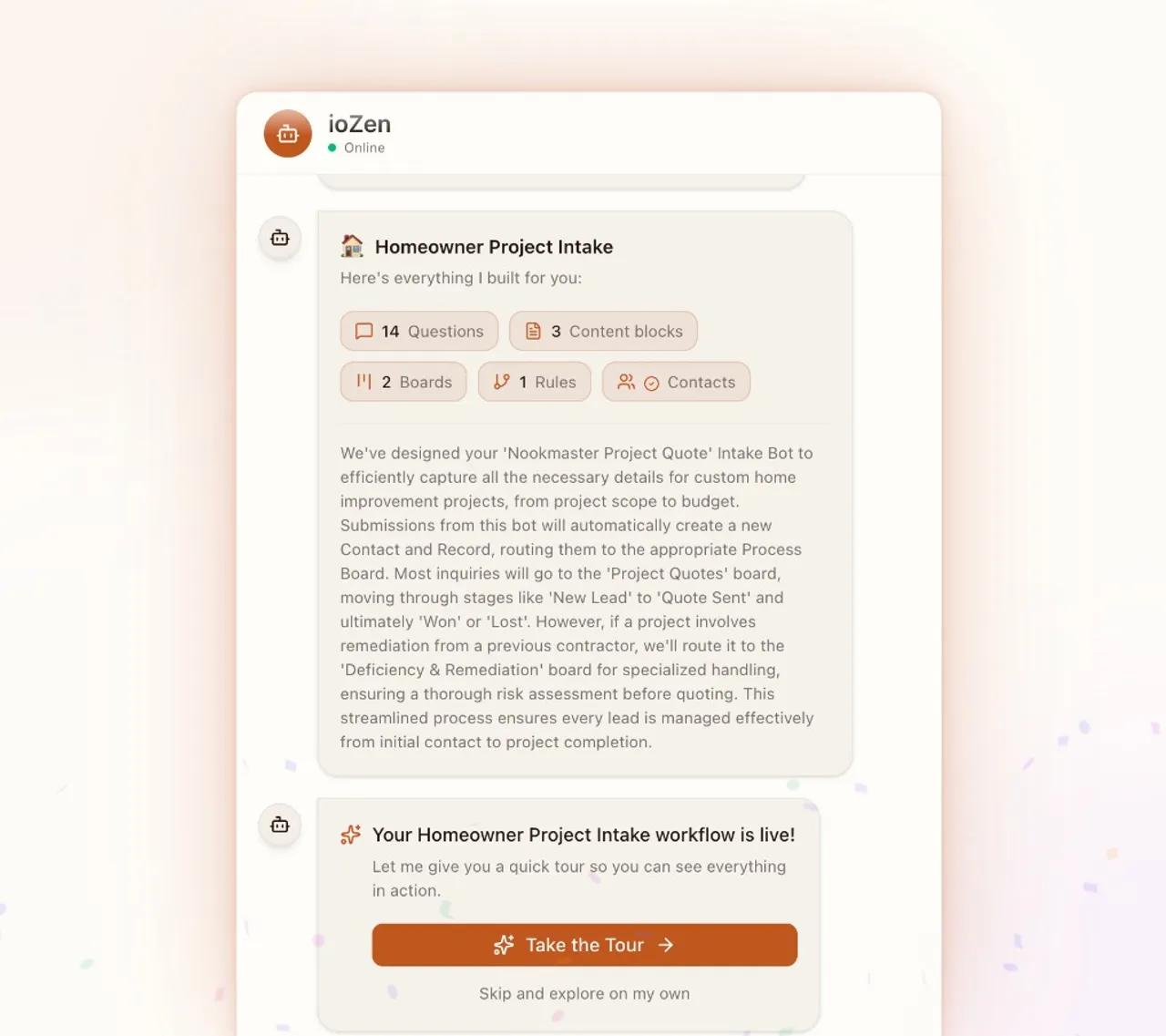
Smart FlowApp Wizard brings that same conversational approach to creating new FlowApps after onboarding. AI suggests use cases based on your organization’s profile, or you can describe what you need from scratch. You get a full proposal with questions, boards, phases, and routing rules. Review it, request up to two rounds of adjustments, and hit build. The whole thing takes about a minute.
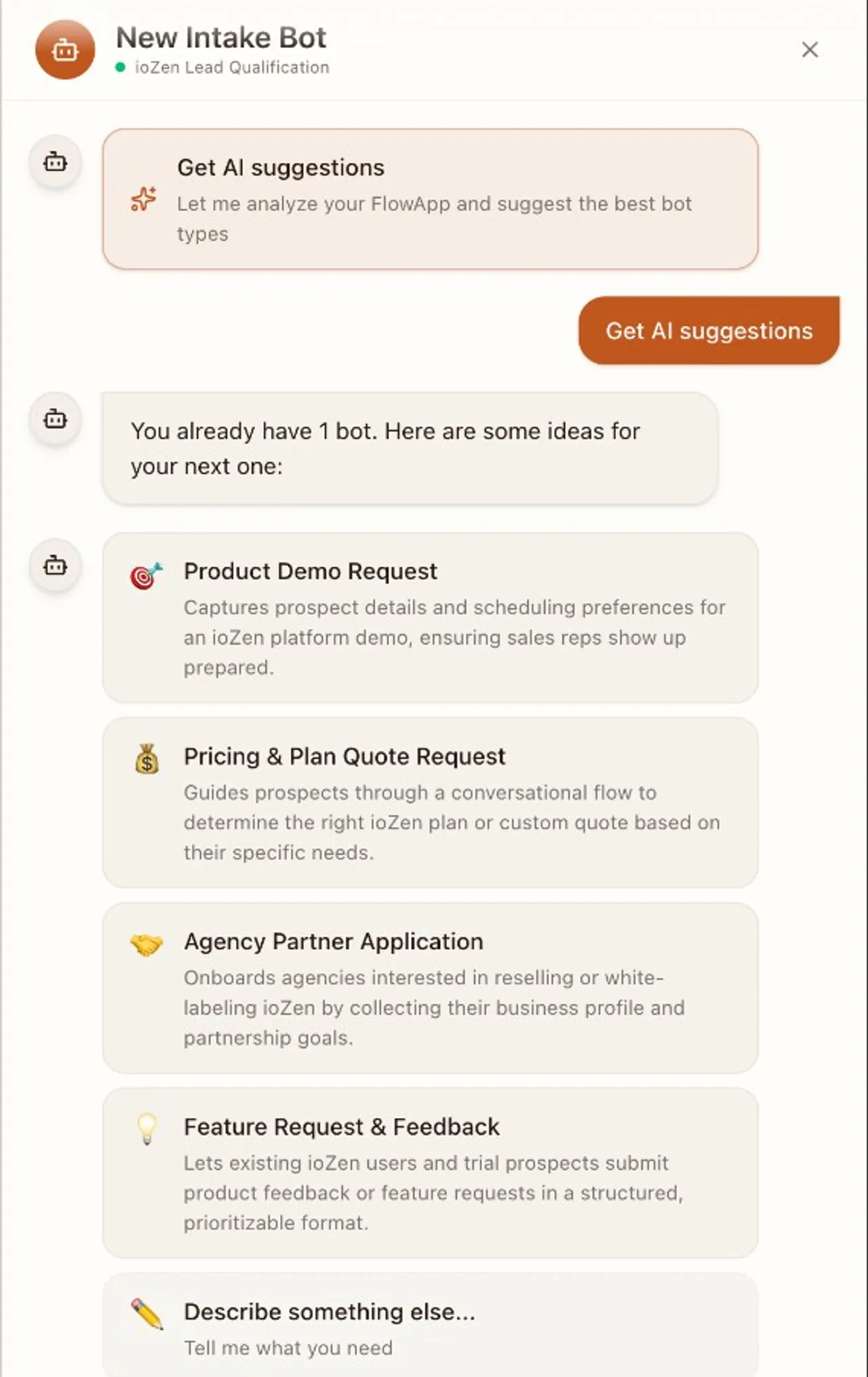
Smart IntakeBot Create works inside any existing FlowApp. Open the creation panel and you’ll see AI-generated bot suggestions tailored to that FlowApp’s context. You can also describe what you need in plain language or upload a document and let AI extract the fields for you (Pro and Business plans). The result is a ready-to-use IntakeBot with all fields configured.
Under the hood, we also improved AI gateway reliability. Operations now have configurable timeouts (60 seconds by default, 300 seconds hard limit) and usage metrics are tracked independently from records. Deleting a record no longer wipes out the associated AI usage data.
Included in this release
Configurable AI operation timeouts (60s default, 300s hard limit) and decoupled metrics tracking so usage stats are preserved even when records are deleted.
Create IntakeBots through a conversational AI panel inside any FlowApp. Choose from AI-suggested bot types tailored to your FlowApp's context, describe what you need in plain language, or extract fields directly from an uploaded document (Pro+).
New workspaces now set up through a guided AI conversation. Enter your website URL and AI discovers your organization, suggests relevant use cases by role, and generates your first FlowApp automatically — no manual setup required.
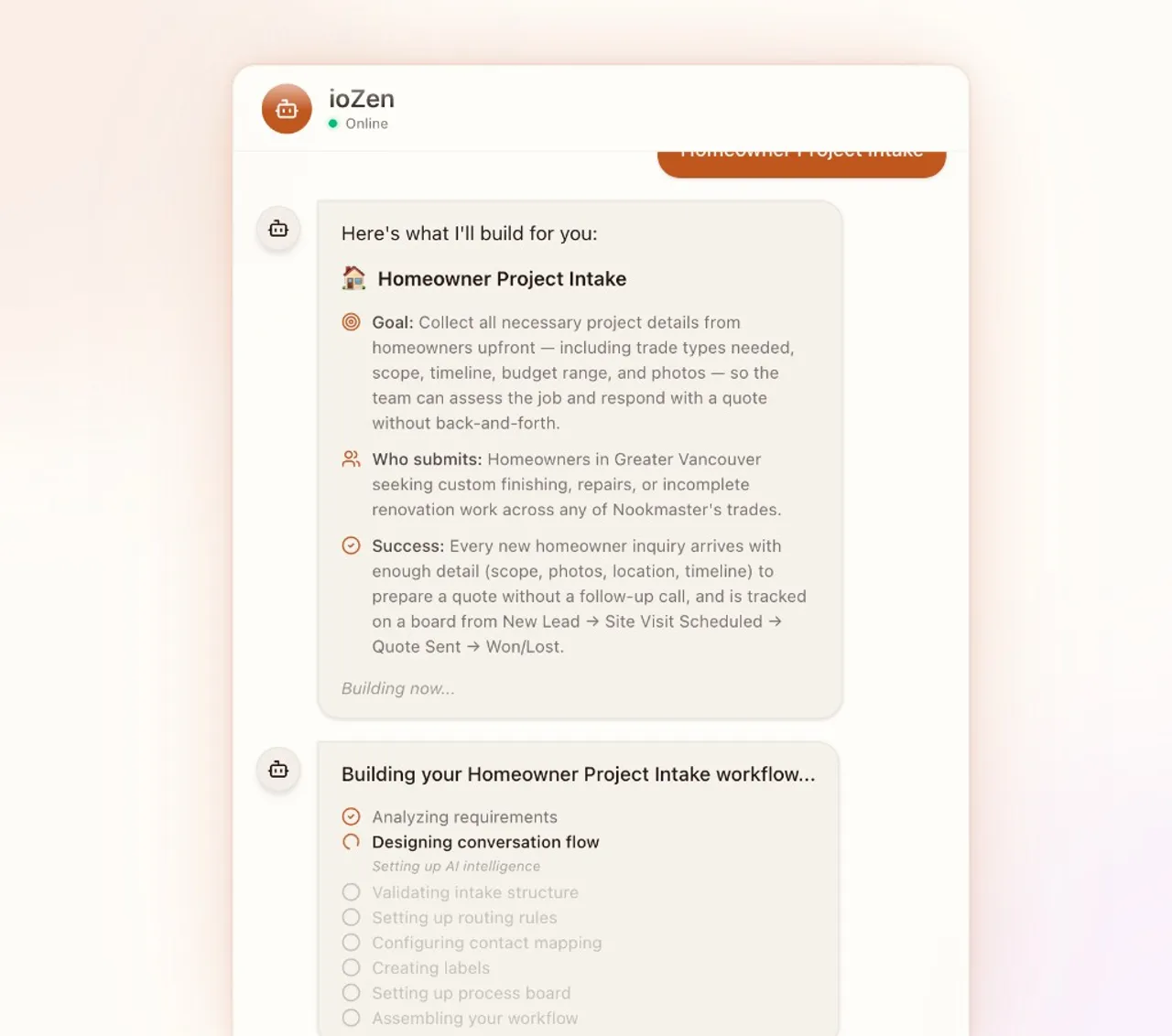
Create complete FlowApps through a conversational AI wizard. Pick from AI-generated use-case suggestions tailored to your organization, or describe what you need in plain language. Review the full proposal — questions, boards, phases, and routing rules — and refine it with up to two adjustment rounds before building.
Hidden Fields gating, auto-save, and editor improvements
Three changes today, all focused on tightening up how hidden fields and content blocks work in practice.
Hidden fields are now a paid feature. The visibility toggle, publish panel, and embed code generation all check your plan before letting you use hidden fields. Free plan users see the option but can’t activate it. On the server side, submissions from free plans have hidden field values stripped out, so there’s no way around it. If you’re already on Pro or Business, nothing changes for you.
Content blocks auto-save every edit. The Save button is gone. Every change you make to a content block persists the moment you make it. This matches how the rest of the IntakeBot editor works and removes a step that tripped people up (forgetting to save, losing edits on navigation).
The template variable picker moved. Instead of typing / and scrolling through the slash menu to find field variables, there’s now a dedicated button in the rich editor toolbar. Click it, pick a field, and {{field_name}} drops in. Faster, especially when you have a lot of fields.
Included in this release
Hidden fields are now a Pro+ feature with plan-based gating on the visibility toggle, publish panel, and embed code generation. Server-side enforcement strips hidden field values for free plans and preserves them correctly on submission completion. Content blocks now auto-save every edit instantly — no more Save button. The rich content editor replaces the slash-command field variable picker with a dedicated template field button for faster variable insertion.
Content Blocks & Guided Intake
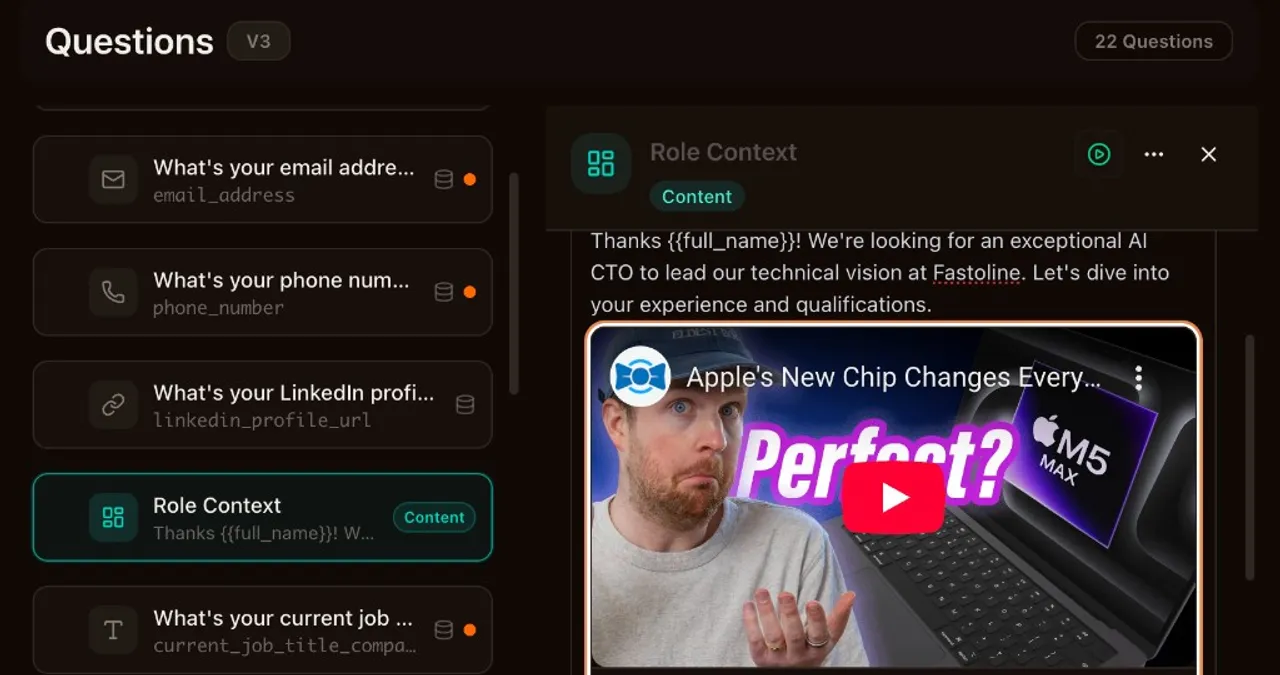
IntakeBots can do more than ask questions now. Content blocks let you insert guided text, calls to action, and personalized messages between fields. Every plan gets plain-text blocks. Pro and Business unlock the full rich editor, embeds, and AI-generated content. This takes conversational forms to a whole new level.
The rich editor works like Notion. Type / to open the slash menu and drop in headings, callouts, code blocks, or video embeds. You can embed YouTube, Vimeo, Loom, Cal.com, Calendly, Stripe Payment Links, and Google Maps directly inside the intake flow. Up to three CTA buttons per block can open modal overlays or link to external URLs.
Template variables make all of this personal. Use {{field_name}} anywhere in question labels, helper text, content blocks, or CTA URLs to reference what someone already answered. Arrays, AI-processed values, and all field types work. Private fields resolve to [Private] so nothing leaks.
AI content generation takes personalization further. Write a prompt, and AI generates unique content for each respondent at runtime using their previous answers as context. Good for mid-flow recommendations, summaries, or tailored next steps. Private fields stay out of AI context automatically.
We also published step-by-step integration guides for Meta Conversions API, Google Ads, LinkedIn, TikTok, and custom webhooks. Each covers credential setup, configuration, testing, and troubleshooting. Find them at app.iozen.ai/docs/integrations.
Included in this release
Author a prompt and let AI generate personalized content for each respondent at runtime, using their previous answers as context. Ideal for mid-flow recommendations, summaries, and dynamic guidance. Private fields are excluded from AI context.
Insert non-question content between Intake Bot fields — guided text, CTAs, and personalized messages. Plain text on all plans; rich editor, embeds, and AI-generated content on Pro+. Content blocks display with a Continue button and support conditional visibility.
Step-by-step developer documentation for connecting Meta Conversions API, Google Ads Measurement Protocol, LinkedIn Conversions API, TikTok Events API, and custom webhooks. Each guide includes credential setup, configuration, and troubleshooting. Available at /docs/integrations.
Compose content blocks and CTA modals with a Notion-like slash-command editor. Embed YouTube, Vimeo, Loom, Cal.com, Calendly, Stripe Payment Links, Google Maps, and Typeform directly inside the intake flow. Up to 3 CTA buttons per block open modal overlays or external URLs.
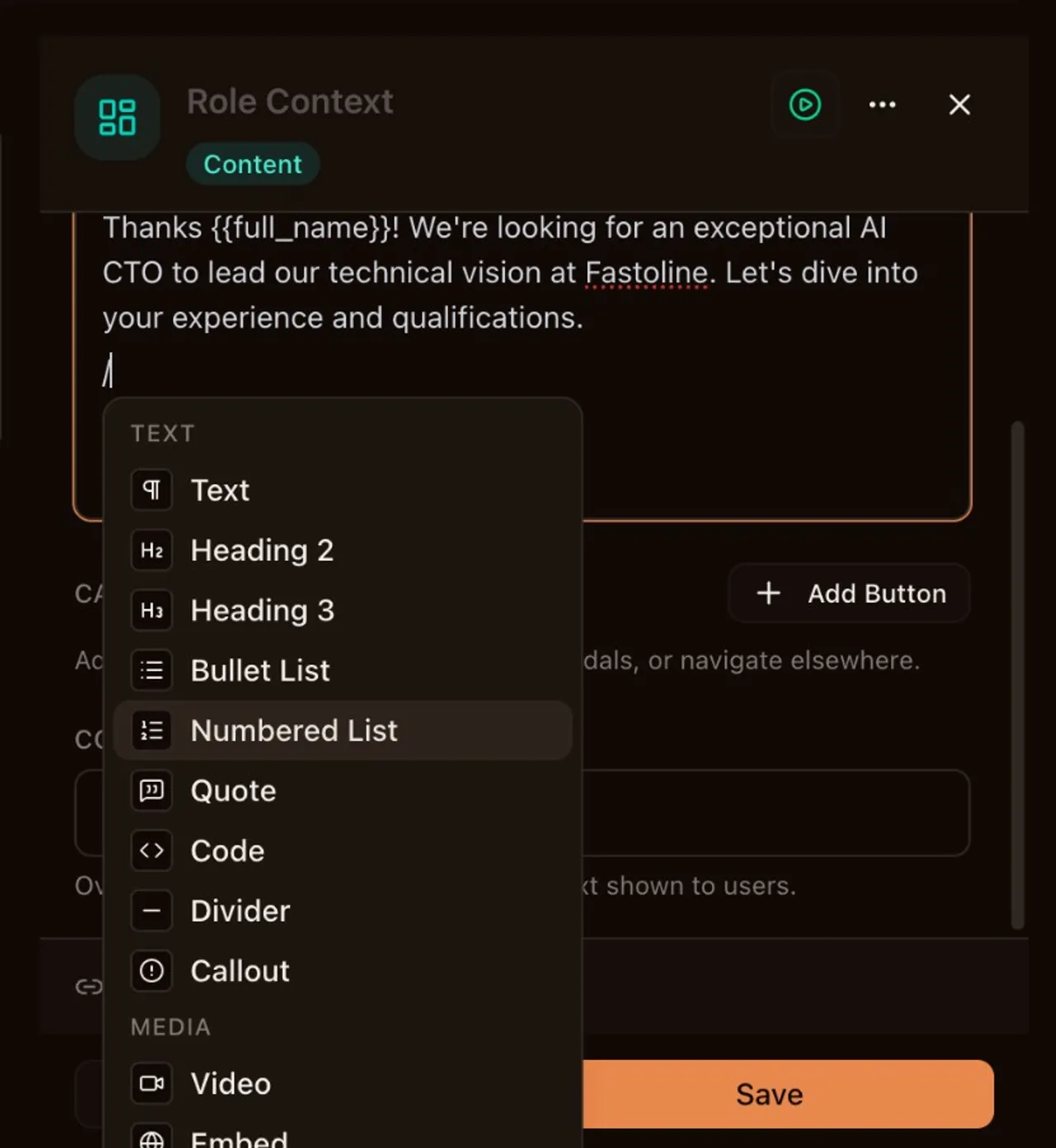
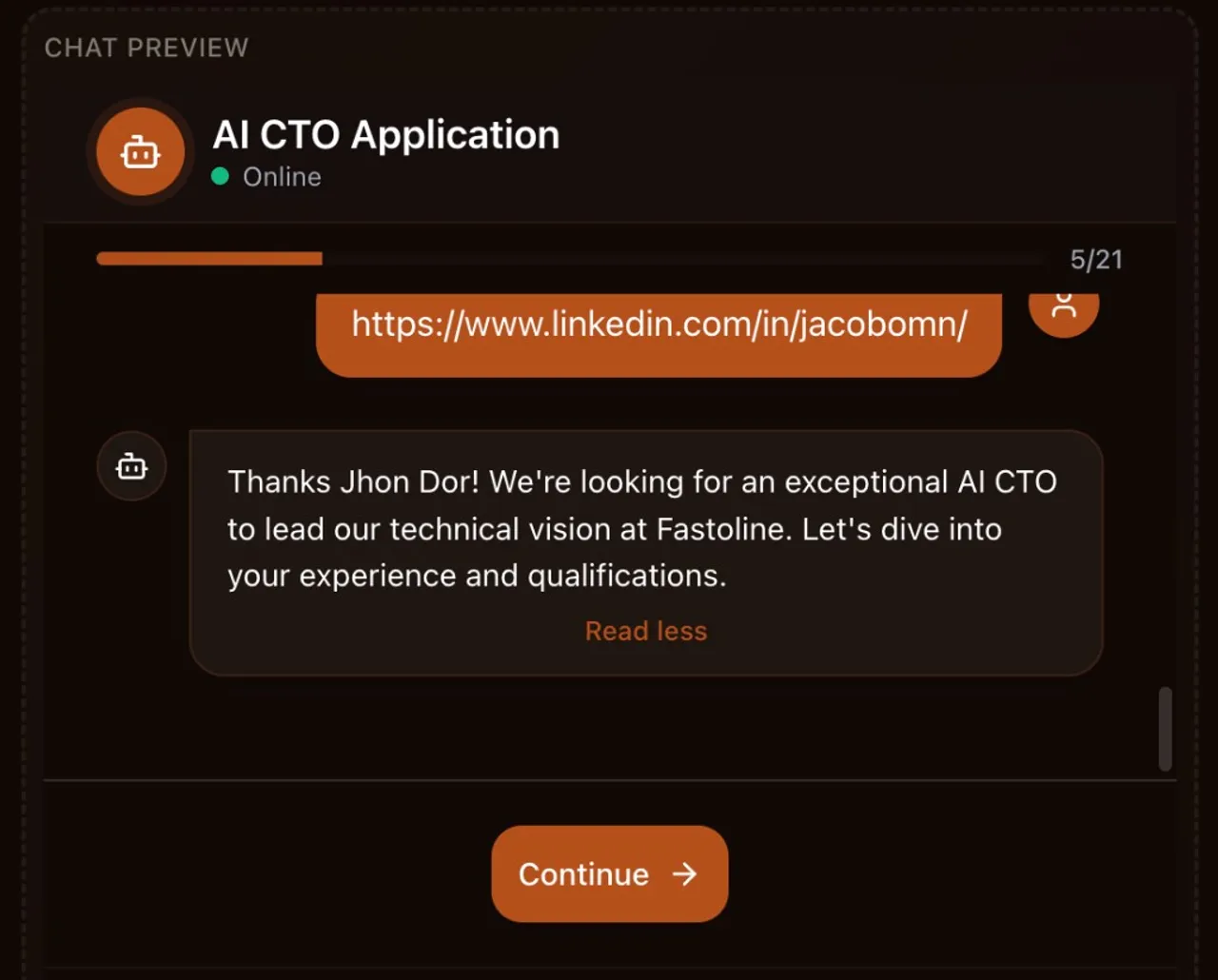
Use {{field_name}} to personalize question labels, helper text, content block bodies, and CTA URLs with the respondent's previous answers. Supports all field types including arrays and AI-processed values. Private fields resolve to [Private].
Test Autopilot & Internationalization
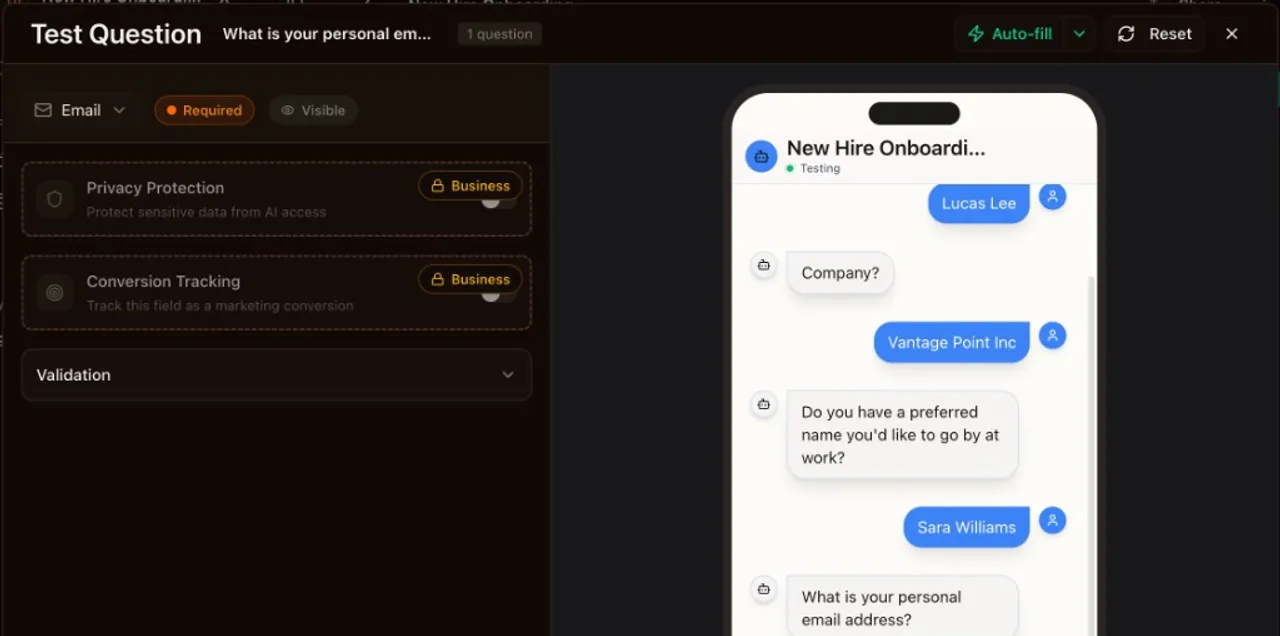
Testing IntakeBots used to mean clicking through every field by hand. Test Autopilot changes that. Hit Auto-fill on any field to get realistic sample data, or hit Auto-play to walk through the entire bot start to finish. It generates locale-aware answers, handles AI follow-up questions with progressively detailed responses, and pauses on file uploads so you stay in control. Normal and fast speed modes let you watch the conversation or skip ahead.
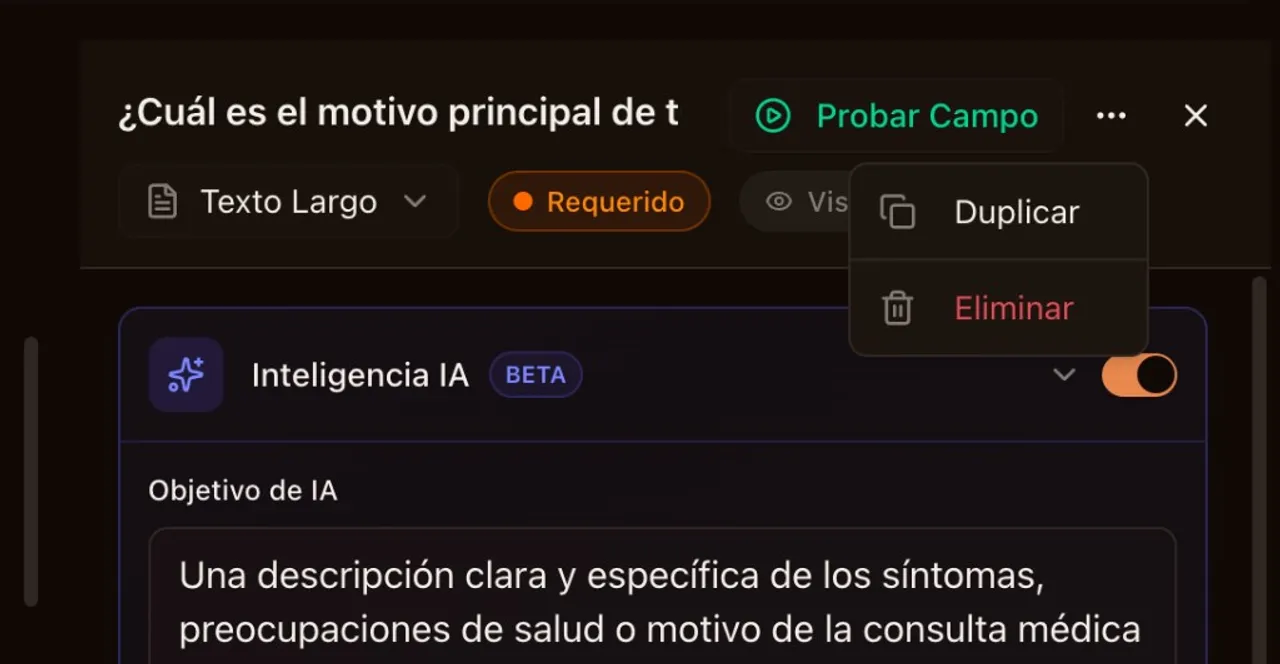
Field duplication is here too. Select any field, click duplicate, and a copy drops in right below the original with a fresh variable name. Validation rules, AI settings, and conditional branches all carry over.
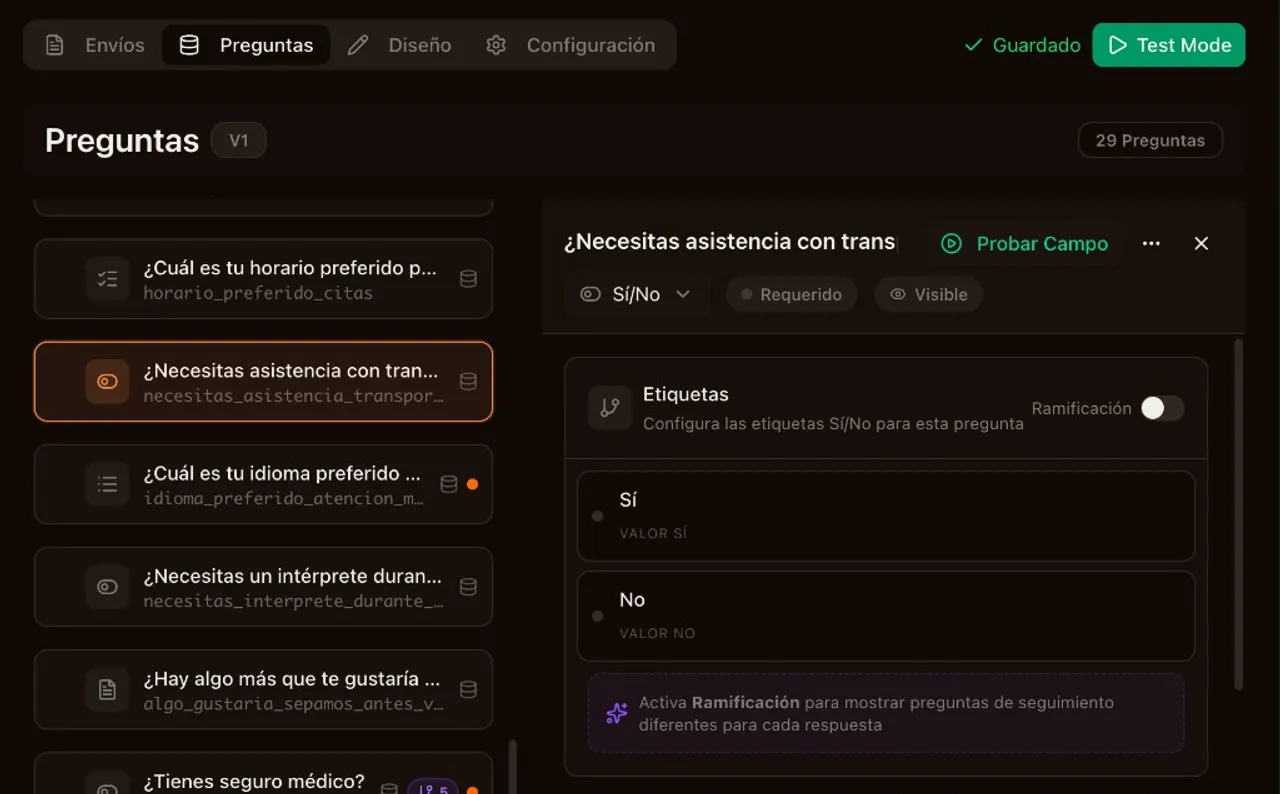
On the i18n front, Account Settings, Email Preferences, and the IntakeBot field editor are now fully translated into English and Spanish. Boolean fields default to Sí/No for Spanish bots, dates follow locale formatting, and test data matches the bot’s language. Under the hood, contact extraction switched to a schema-aware resolution map that eliminates guesswork on nested fields. Email notifications pull from contact mapping data directly, and inactive Postmark recipients get skipped instead of failing the whole job.
Included in this release
Fixed a critical bug where Yes/No (Sí/No) questions in Spanish Intake Bots would reject the user's answer and prevent the bot from advancing. Validation now respects the bot's configured language.
Contact data extraction now uses a schema-aware field resolution map for deterministic nested-path matching instead of suffix heuristics. Name mode sanitization prevents fullName and firstName/lastName from conflicting. Test submission contacts dedup reliably using a stable bot identifier.
Submission notification emails now use contact mapping data instead of heuristic field-name scanning. Postmark inactive recipients are gracefully skipped instead of failing the job. DLQ handler improved with proper QStash base64 decoding and richer error extraction. Submission email deep links now resolve correctly via a new redirect page.
Duplicate any Intake Bot field with one click. The copy is inserted directly after the original with a unique variable name, preserving all settings including validation rules, AI configuration, and conditional branches.
Account Settings, Email Preferences, and the IntakeBot field editor are now fully translated into English and Spanish. Validation messages, boolean option labels, and field duplication feedback all respect the user's locale.
Spanish Intake Bots now show localized boolean defaults (Sí/No), locale-appropriate date formatting, and Spanish test data when using the Test Submission feature. The public chat experience is fully language-aware end to end.
Auto-fill a single field or auto-play through the entire Intake Bot with realistic, locale-aware test data. Handles AI Socratic Negotiation retries with progressively detailed answers, pauses on file fields, and supports normal or fast speed modes.
Hidden Fields & Data Passing
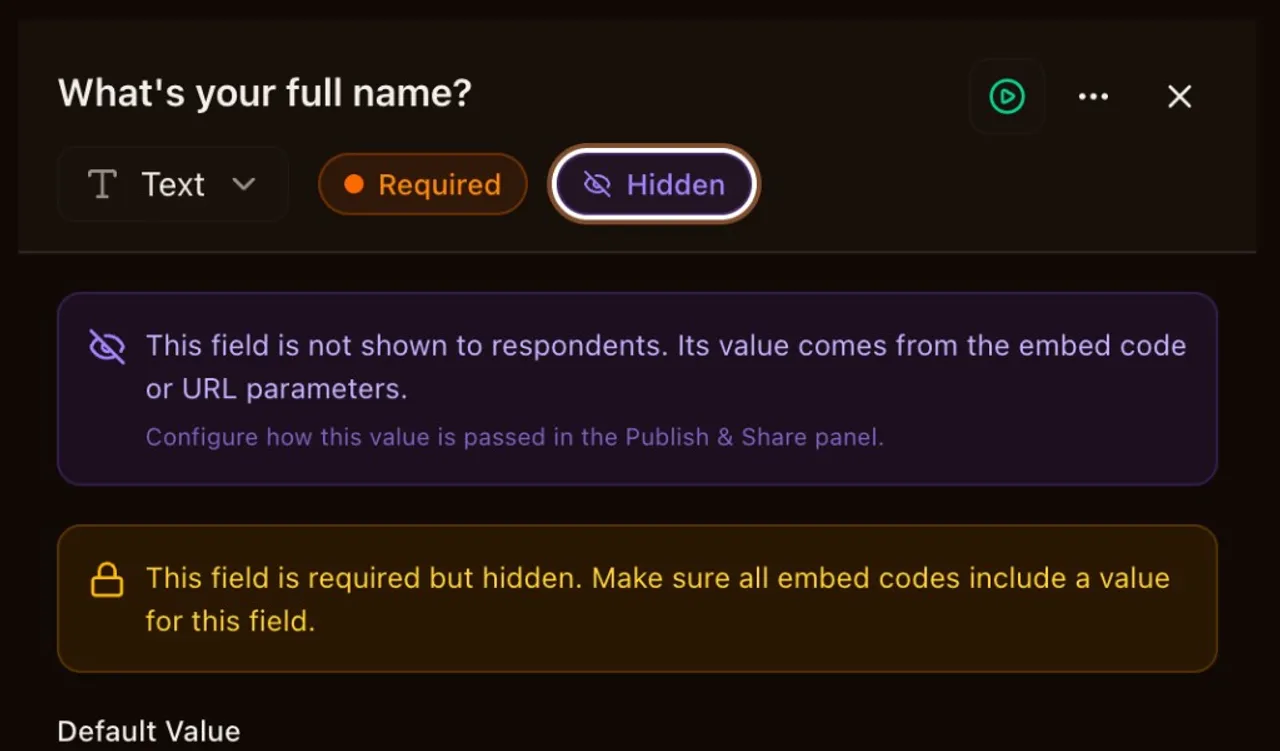
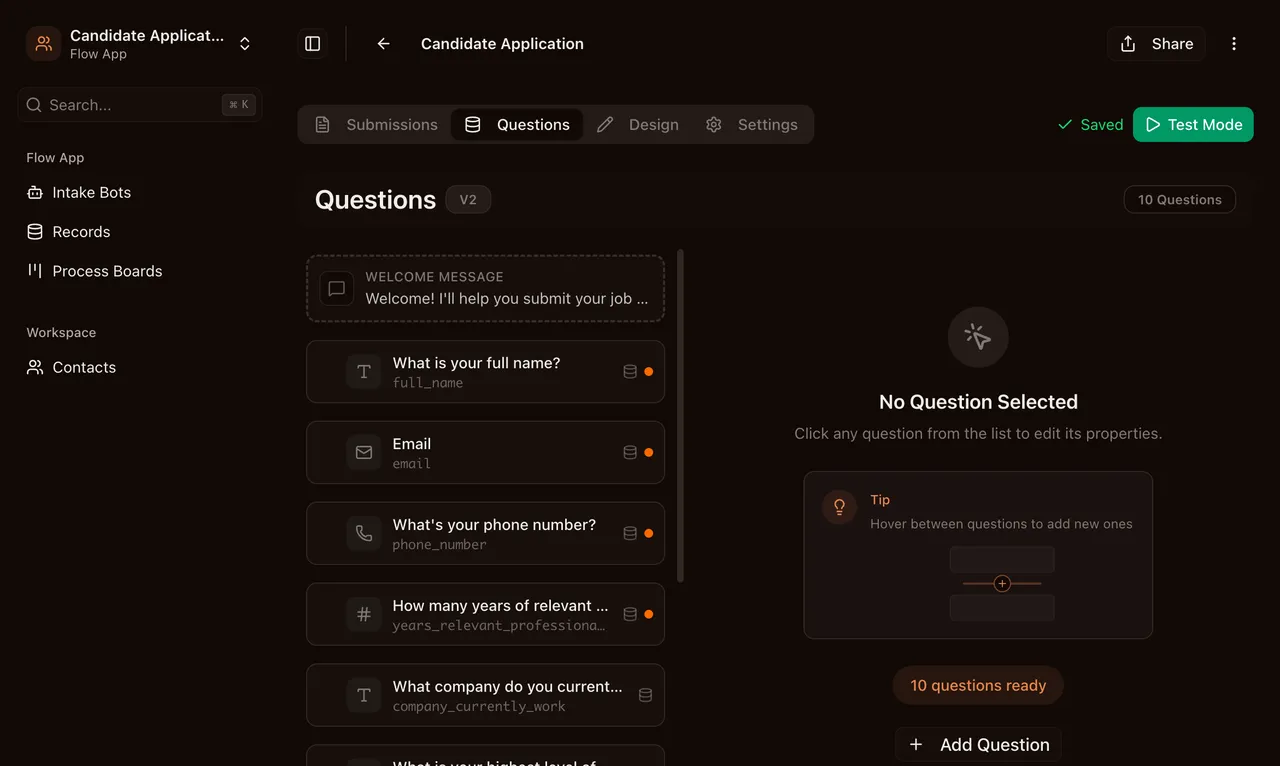
Any IntakeBot field can now be marked as hidden. Hidden fields never appear in the conversation, but their values are saved with the submission and can drive conditional logic just like visible fields.
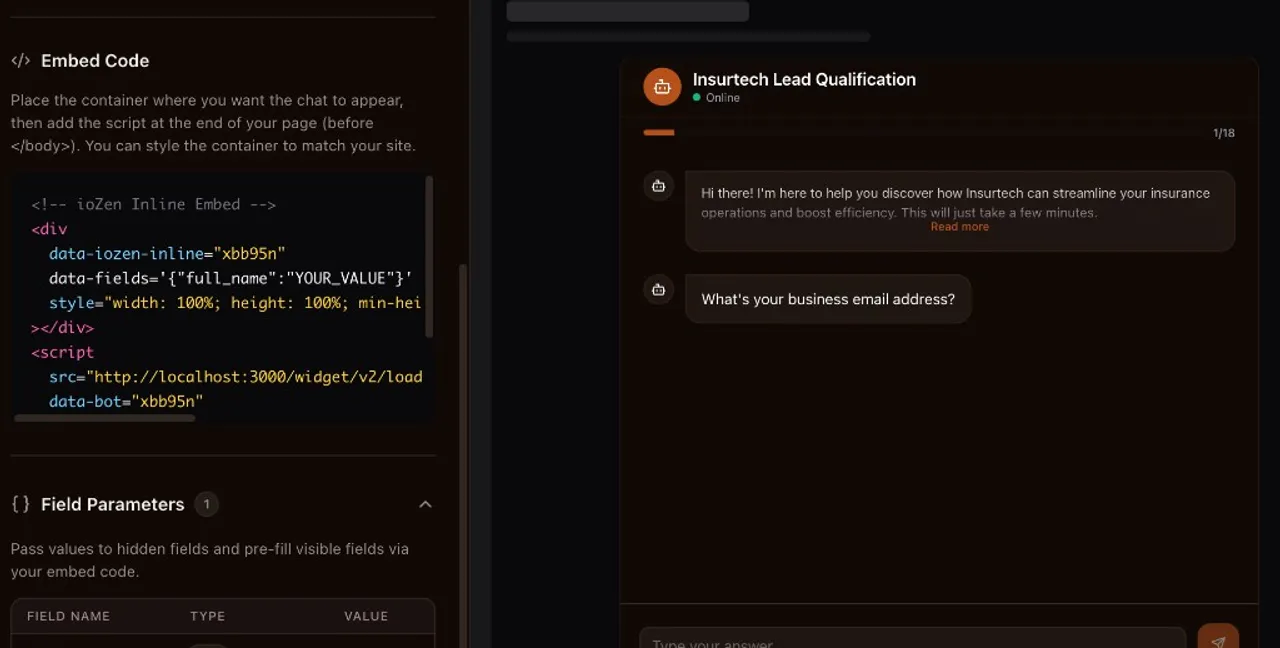
Values come from three places. Embed code attributes (data-fields) work for inline, popup, and widget embeds. URL parameters (?f.key=value) work for direct link sharing. And you can set static defaults in the field editor for values that stay the same across all submissions.
This opens up use cases that were impossible before. Pass a CRM record ID from your app into the IntakeBot so submissions link back automatically. Forward UTM parameters from your landing page into the submission for end-to-end attribution. Set an A/B test variant as a hidden field and branch conditional logic based on it. Track referral sources without asking the respondent anything.
Hidden fields are available on Pro and Business plans.
Included in this release
Mark any IntakeBot field as hidden to pass values silently via embed code or URL parameters. Hidden fields are never shown to respondents but their values are saved with the submission and can drive conditional branching. Values can come from embed data-fields attributes, direct link query parameters (?f.key=value), or static defaults set in the field editor.
February 2026
Data Management
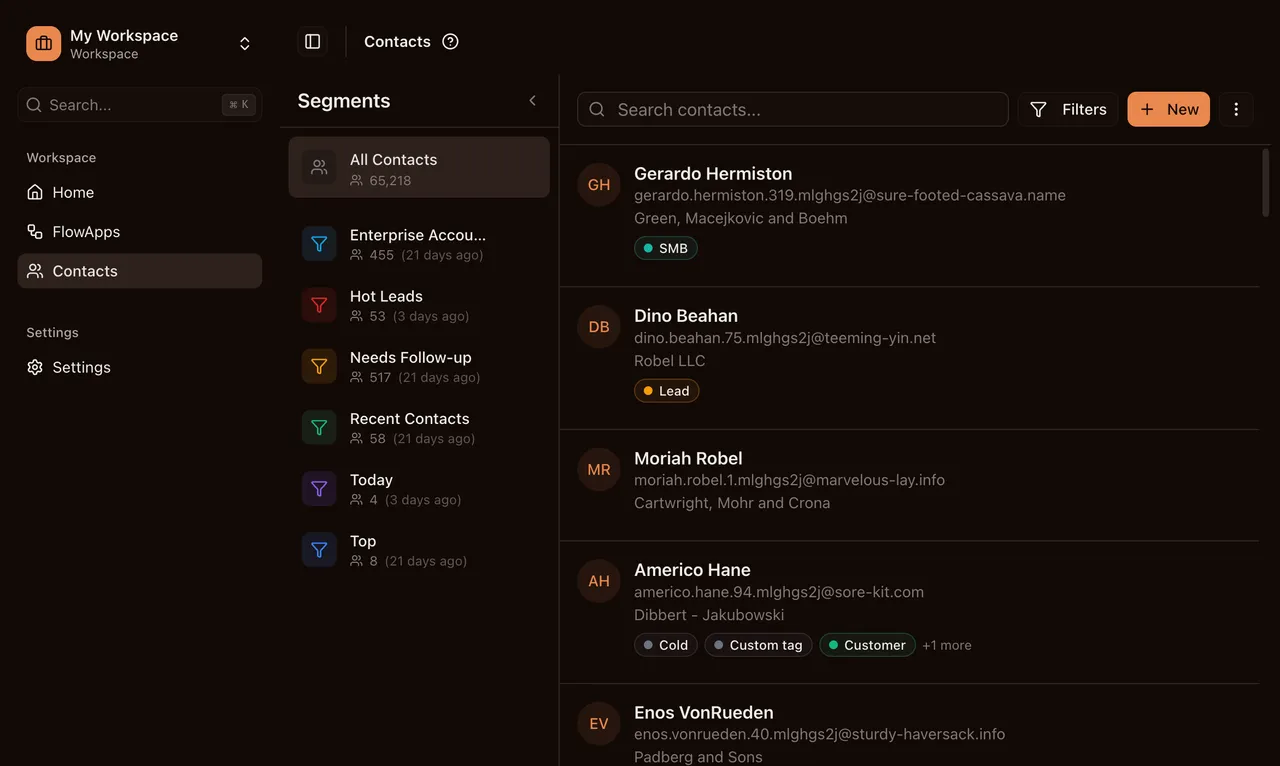
Three updates to how you manage data inside ioZen. The Contact Import Wizard walks you through uploading a CSV or Excel file and mapping columns to ioZen fields. Duplicate detection runs automatically with skip, update, or fill-empty strategies so your list stays clean.
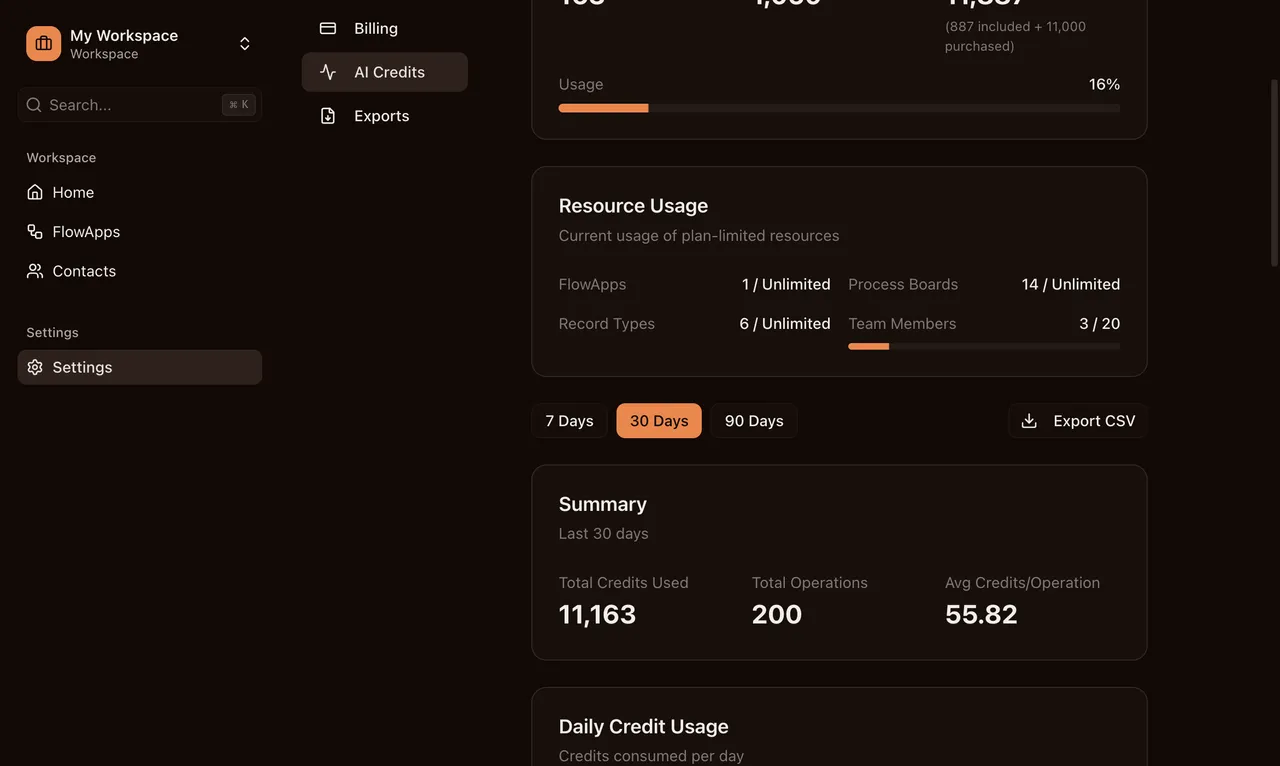
Workspaces now have plan-tiered storage quotas. Free gets 100 MB, Pro gets 5 GB, Business gets 25 GB. Email alerts fire at 80%, 95%, and 100% usage so you’re never caught off guard. See the pricing page for full storage limits.
File upload size limits also scale by plan: 5 MB on Free, 10 MB on Pro, 25 MB on Business. Records that include file fields respect these limits at submission time.
Included in this release
Import contacts from CSV or Excel files via a multi-step wizard. Map columns to core fields, custom fields, and tags. Supports duplicate detection with skip, update, or fill-empty strategies. Auto-maps common headers and optionally creates new custom fields and field groups during import.
Workspaces now have a plan-tiered storage quota: 100 MB on Free, 5 GB on Pro, 25 GB on Business. Uploads are blocked when the limit is reached, and workspace owners receive email alerts at 80%, 95%, and 100% usage.
File upload size limits are now tiered by plan: 5 MB on Free, 10 MB on Pro, 25 MB on Business.
Developer Platform Launch
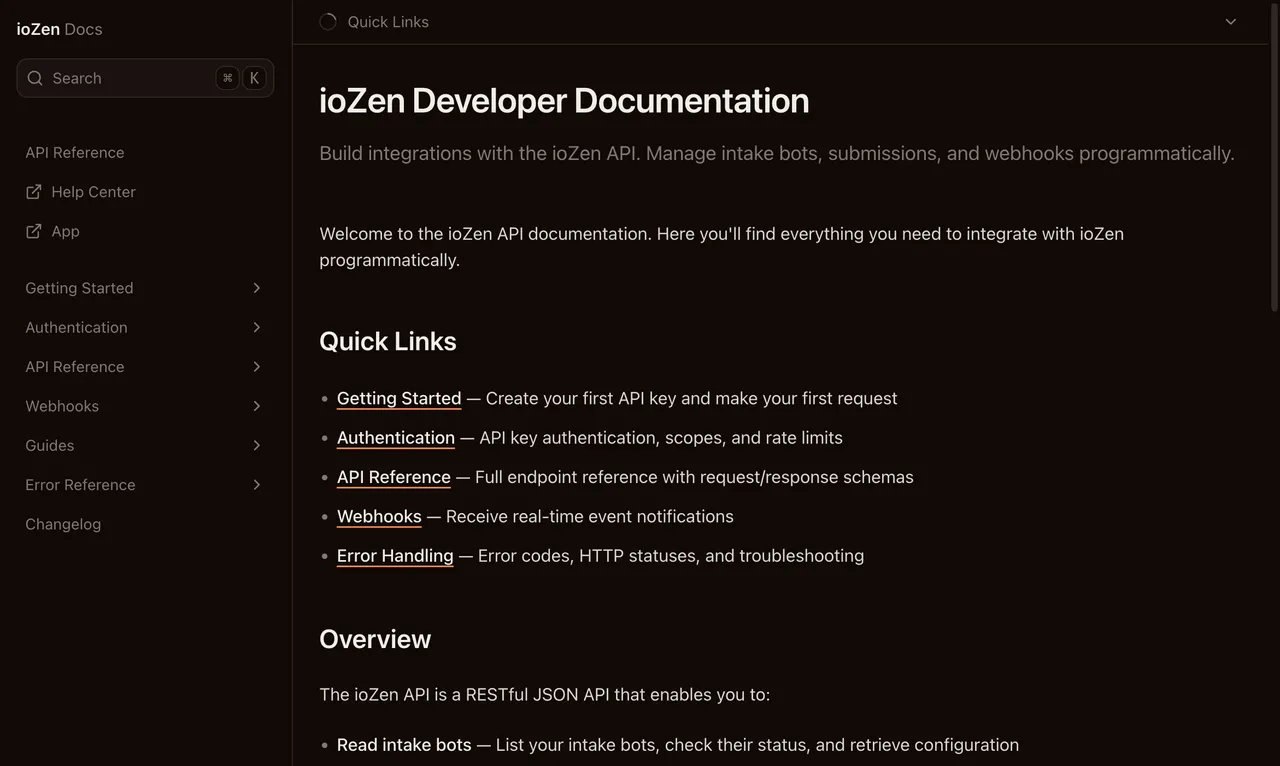
The ioZen developer platform is here. The REST API lets you read and write submissions, manage contacts, and trigger actions programmatically. API key authentication with scoped permissions keeps your integrations secure. See the Developer Tools guide for an overview.
Interactive docs at app.iozen.ai/docs cover every endpoint with request/response examples you can try from the browser. No guessing at payload shapes.
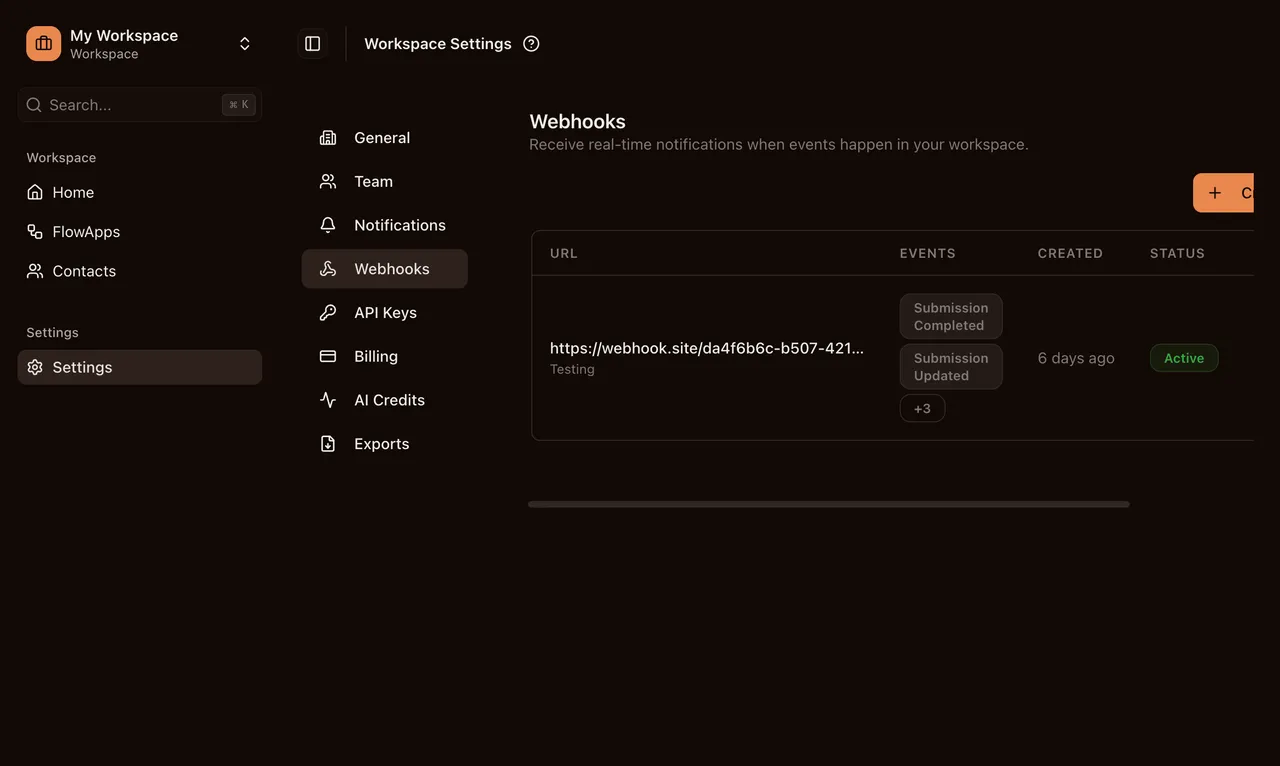
Outbound webhooks deliver real-time events to your endpoints with HMAC-signed payloads and automatic retries via QStash. When something happens in ioZen, your systems know about it immediately.
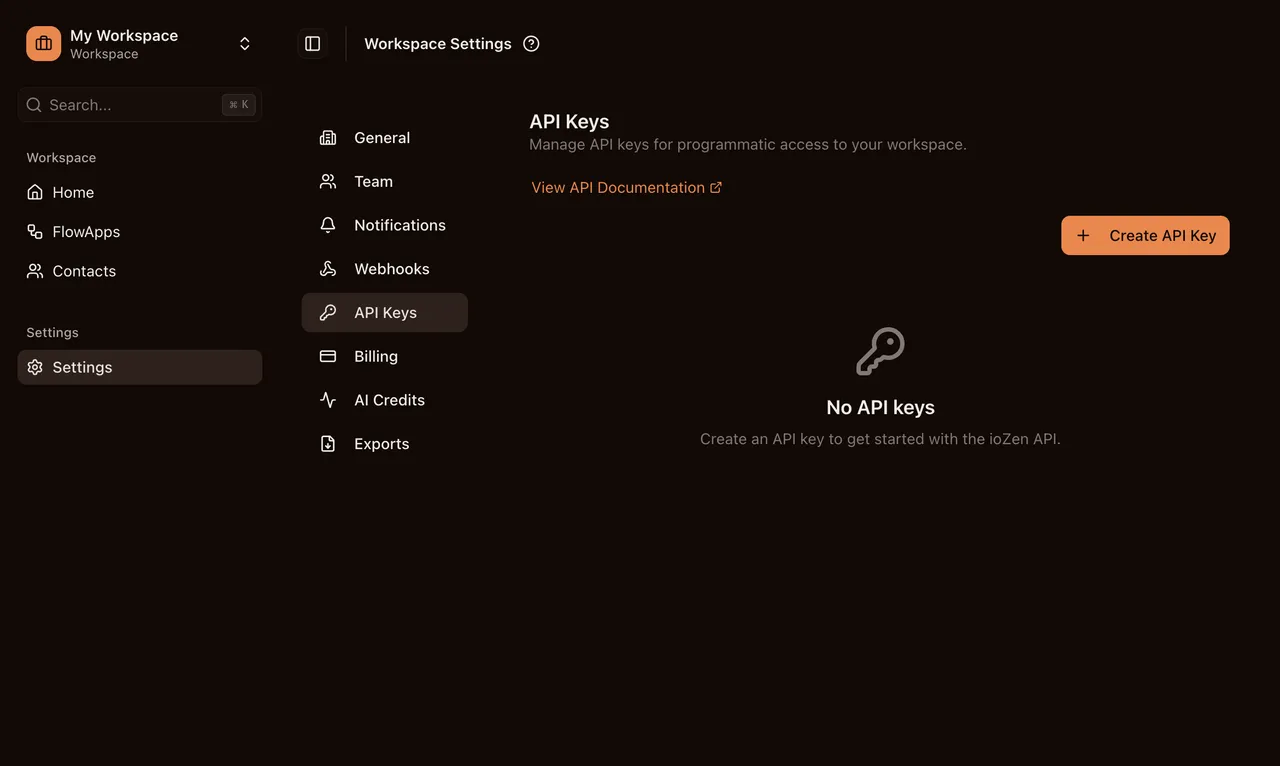
API keys are managed from Workspace Settings. Create keys with scoped permissions, rotate them when needed, and stay within per-plan rate limits. Pro gets 3 keys at 100 req/min. Business gets 10 keys at 500 req/min.
Included in this release
REST API for managing intake bots, submissions, and webhooks programmatically. API key authentication with scoped permissions, per-plan rate limiting, idempotency support, and interactive developer documentation at /docs.
Interactive API documentation at app.iozen.ai/docs. Covers authentication, all API endpoints, webhooks, error handling, pagination, and rate limits. Powered by Fumadocs with full-text search.
Real-time event notifications delivered to your endpoints. HMAC-SHA256 signed payloads, reliable delivery via QStash with retries, and automatic pause after repeated failures. Events include submission.completed, submission.updated, contact.created, and more.
Create and manage API keys from Workspace Settings. Scoped permissions, SHA-256 hashed storage, and Redis-cached validation. Pro plan: 3 keys, 100 req/min. Business plan: 10 keys, 500 req/min.
Stripe Promotion Codes
The ioZen team can now deploy promotion codes through Stripe. Use them to reward beta testers, support early adopters, or extend special pricing to specific customers. Codes apply to both monthly and annual billing plans.
Included in this release
Promotion codes now accepted during Stripe checkout. Create discount campaigns and share promo codes with potential customers for reduced subscription pricing.
Multi-Select Field Fix
Multi-select fields in the public IntakeBot chat were showing duplicate chips when picking multiple values. Validation was also rejecting valid selections in some cases. Both issues are fixed. Multi-select fields in conversational forms now render and validate correctly regardless of how many options you pick.
Included in this release
Fixed rendering and validation of multi_select fields in the public Intake Bot chat. Duplicate chip options no longer appear when selecting multiple values.
Billing Reliability Fixes
Three billing fixes in this release. A race condition during plan changes could cause subscriptions to enter an inconsistent state. Credit-status polling was firing too aggressively under load. The upgrade dialog was redirecting to the billing page instead of straight to Stripe checkout. All resolved. View current pricing plans.
Included in this release
Fixed subscription race condition during plan changes, resolved credit-status polling storms, and corrected upgrade dialog redirecting to billing page instead of Stripe checkout.
Platform Polish
A round of infrastructure and UX polish. The email system moved to a scalable architecture with separate transactional and broadcast streams via Postmark. Deliverability is better and onboarding sequences are now possible.
Workspace routes show a mobile access gate on small screens, directing users to the desktop experience. A quick email link lets you open the app on your computer without hunting for the URL.
The AI FlowApp generation wizard now shows parallel progress indicators and smoother motion transitions. Generation status is tracked on the FlowApp model so state stays reliable even if you navigate away. IntakeBots created by the generator include all field types and conditional logic from the template.
Included in this release
Email system refactored to a scalable architecture with separate transactional and broadcast streams via Postmark. Improved deliverability and support for onboarding sequences.
Workspace routes now show a mobile gate on small screens directing users to the desktop experience. A DESKTOP_LINK email lets users quickly open the app on their computer.
AI FlowApp generation wizard now shows parallel progress indicators, improved AI operation feedback, and smoother motion transitions. Generation status tracked on the FlowApp model for reliable state.
Public Beta Launch
ioZen moved from private alpha to public beta. Anyone can sign up, pick a plan, and start building. Stripe billing went live alongside this release.
Row-Level Security is now enabled on all remaining public tables. Function search paths are locked down and RLS policies are tightened to prevent cross-workspace data access.
Process Board limits got a bump too. Free goes from 3 to 5 boards, Pro from 30 to 50. This prevents hitting the ceiling during AI-powered FlowApp creation, which generates boards as part of the setup flow.
Included in this release
Minimum password length enforced at 8 characters. Passwords checked against known breach databases with clear error messages when a leaked password is detected.
Free plan Process Boards raised from 3 to 5 and Pro plan from 30 to 50. Prevents frustrating failures during first-time AI-powered FlowApp creation.
ioZen is open for business. Open registration with Stripe billing, onboarding email sequences, and plan-enforced limits. Free plan includes 3 FlowApps and 1,000 AI credits.
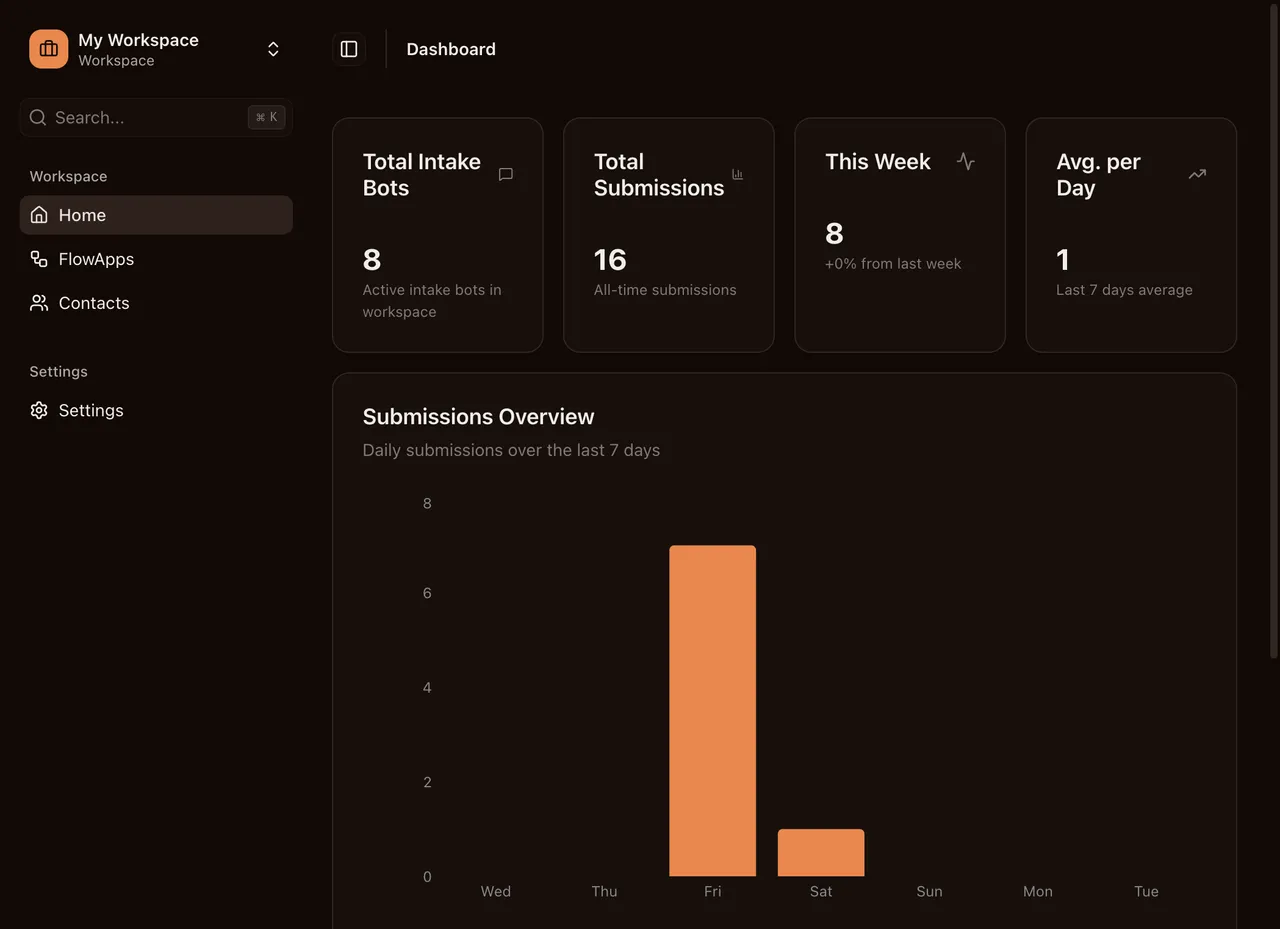
Row Level Security enabled on all remaining public tables. Function search paths locked down and RLS policies tightened to prevent cross-workspace data access.
AI Credit Packs
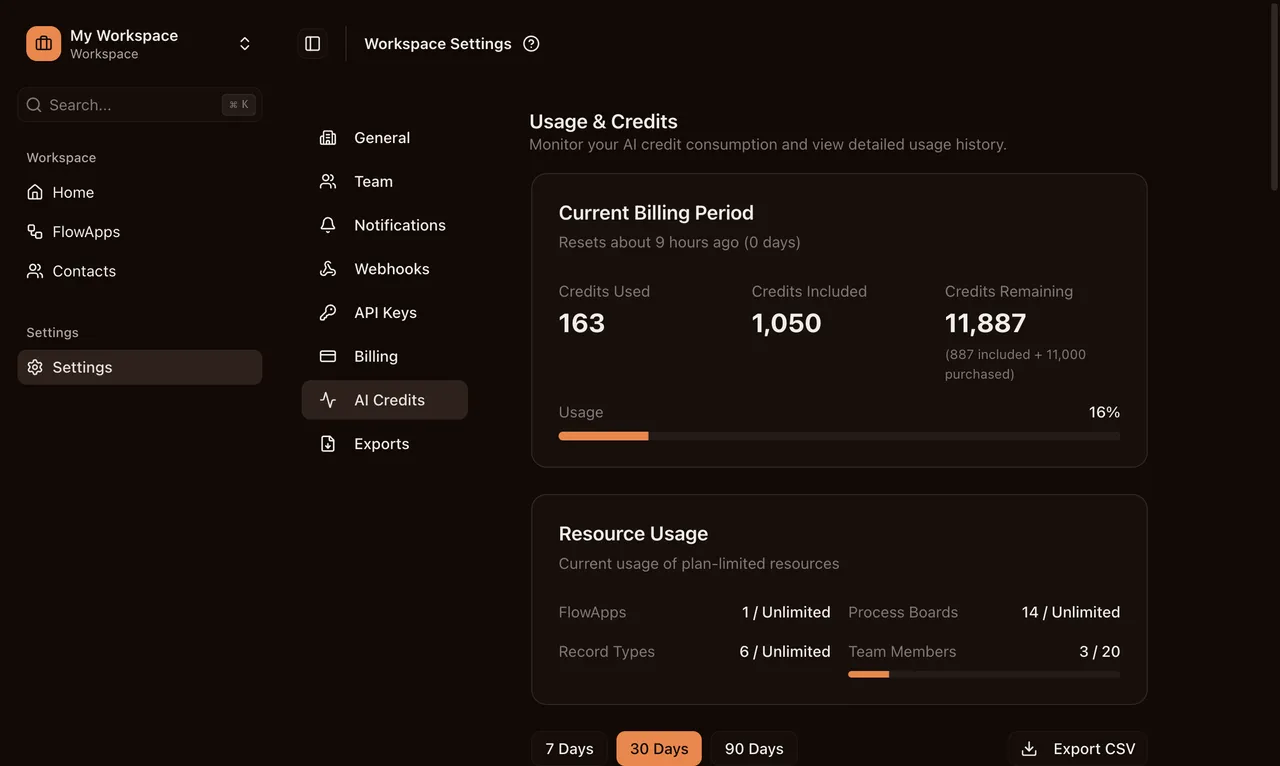
Three tiers let you add AI credits when you need them. Boost (1,000 for $10), Growth (5,000 for $40 with 20% savings), Scale (10,000 for $70 with 30% savings). Purchased credits never expire, so you use them at your own pace. View all pricing options and credit packs.
Included in this release
Purchase additional AI credits on paid plans. Three tiers: Boost (1,000 for $10), Growth (5,000 for $40, 20% savings), Scale (10,000 for $70, 30% savings). Purchased credits never expire.
Mobile Experience Overhaul
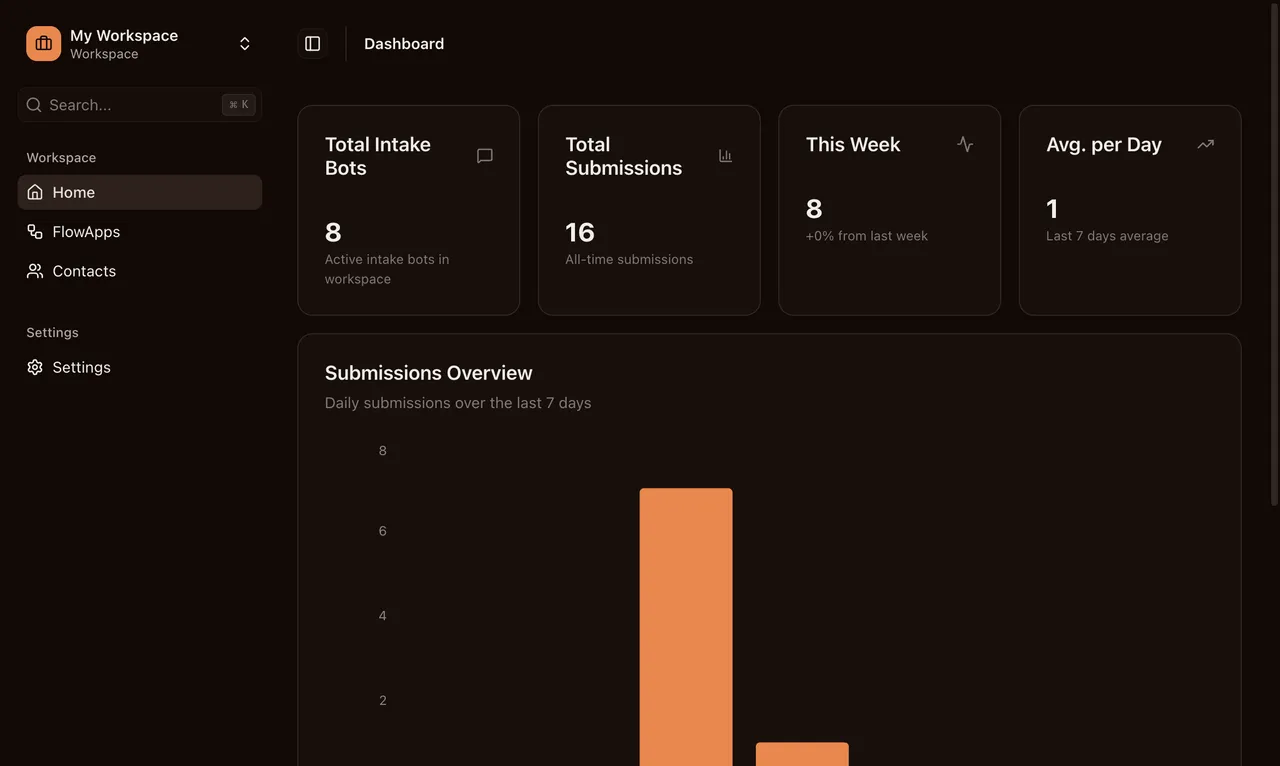
A full responsive overhaul across the app. Navigation, panels, boards, and settings all work on mobile viewports now. Legacy layout code is cleaned up.
The iOS keyboard bug that overlapped the chat input in embedded IntakeBots is fixed. Viewport management and iframe height adjust correctly across inline, popup, and widget embed modes when the keyboard appears.
Marketing Attribution Tracking moves to Pro and above. Field-Level Conversions, Webhooks, and Ad Platform Integrations (Meta, Google, LinkedIn, TikTok) are now Business-only. Clearer value separation between pricing tiers.
Included in this release
Attribution Tracking moved to Pro+. Field-Level Conversions, Webhooks, and Ad Platform Integrations (Meta, Google, LinkedIn, TikTok) moved to Business-only. Clearer value separation between plan tiers.
Fixed virtual keyboard overlapping the chat input on iOS Safari across all embed modes (inline, popup, widget). Viewport management and iframe height now adjust correctly when the keyboard appears.
Comprehensive responsive redesign across the entire app. Navigation, panels, boards, and settings all work on mobile viewports. Legacy layout code cleaned up.
Platform Foundation
The core infrastructure for public launch. Stripe billing lets you subscribe to Pro or Business, manage your subscription from workspace settings, and switch between monthly and annual billing with prorated charges. See current pricing plans.
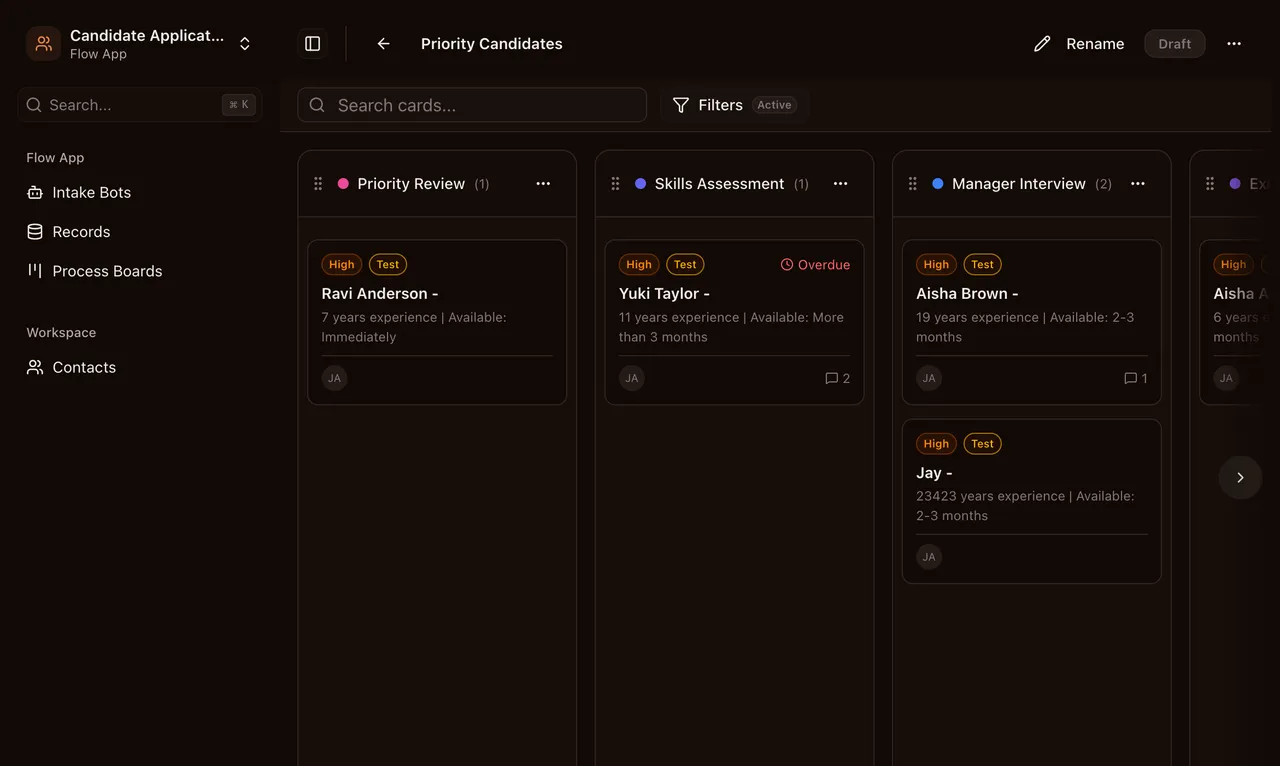
Process Board cards, contact changes, and record updates now sync across all connected users instantly via Supabase Broadcast. Multiple team members can work on the same board without refreshing.
Drag-and-drop on Process Boards was rebuilt with @dnd-kit for smoother card movement, better touch support, and more reliable phase transitions. The embedded IntakeBot widget also adapts to mobile viewports now. Floating button, popup, and inline modes all resize correctly on phones and tablets.
Included in this release
Process Board drag-and-drop rebuilt on @dnd-kit for smoother card movement, better touch support, and more reliable phase transitions.
The embedded IntakeBot widget now adapts to mobile viewports. Floating widget button, popup modal, and inline embeds all resize correctly on phones and tablets.
Process Board cards, contact changes, and record updates now sync across all connected users instantly via Supabase Broadcast. Multiple team members can work on the same board without refreshing.
Full subscription management powered by Stripe. Subscribe to Pro or Business plans, manage billing from workspace settings, and switch between monthly and annual billing with prorated charges.
Beta Access System
Controlled access for the beta phase. New users need an invitation code to sign up, and workspace collaborators can be added directly. Beta applications are tracked through a dedicated IntakeBot.
IntakeBot field schemas now stay in sync with their linked RecordType automatically. Changes to one propagate to the other, reducing manual work and preventing data mismatches between what gets collected and what gets stored.
Included in this release
Controlled beta access via invitation tokens. New users need an invitation code to sign up, and workspace collaborators can be added directly. Beta applications are tracked through a dedicated IntakeBot.
IntakeBot field schemas now stay in sync with their linked RecordType automatically. Changes to one propagate to the other, reducing manual work and preventing data mismatches.